Know when to leave.
Stay informed along the way.
Compare the weather along your route at different departure times.
Watch keeps your plan current before you leave. Protection checks official warnings
and Weather Comfort while you drive.
01 / The ForeNav Departure Window
See your opening.
Compare departure times with the weather along your drive.
Example: 10–11 am is preferred. Rain is still expected.
App snapshot · synthetic weather data · illustrative trip
From planning to the drive
Before you leave. While you drive.
Native app screens with a demo trip and synthetic weather. The warning shown is
illustrative, not a live alert.
02 / With Guardian
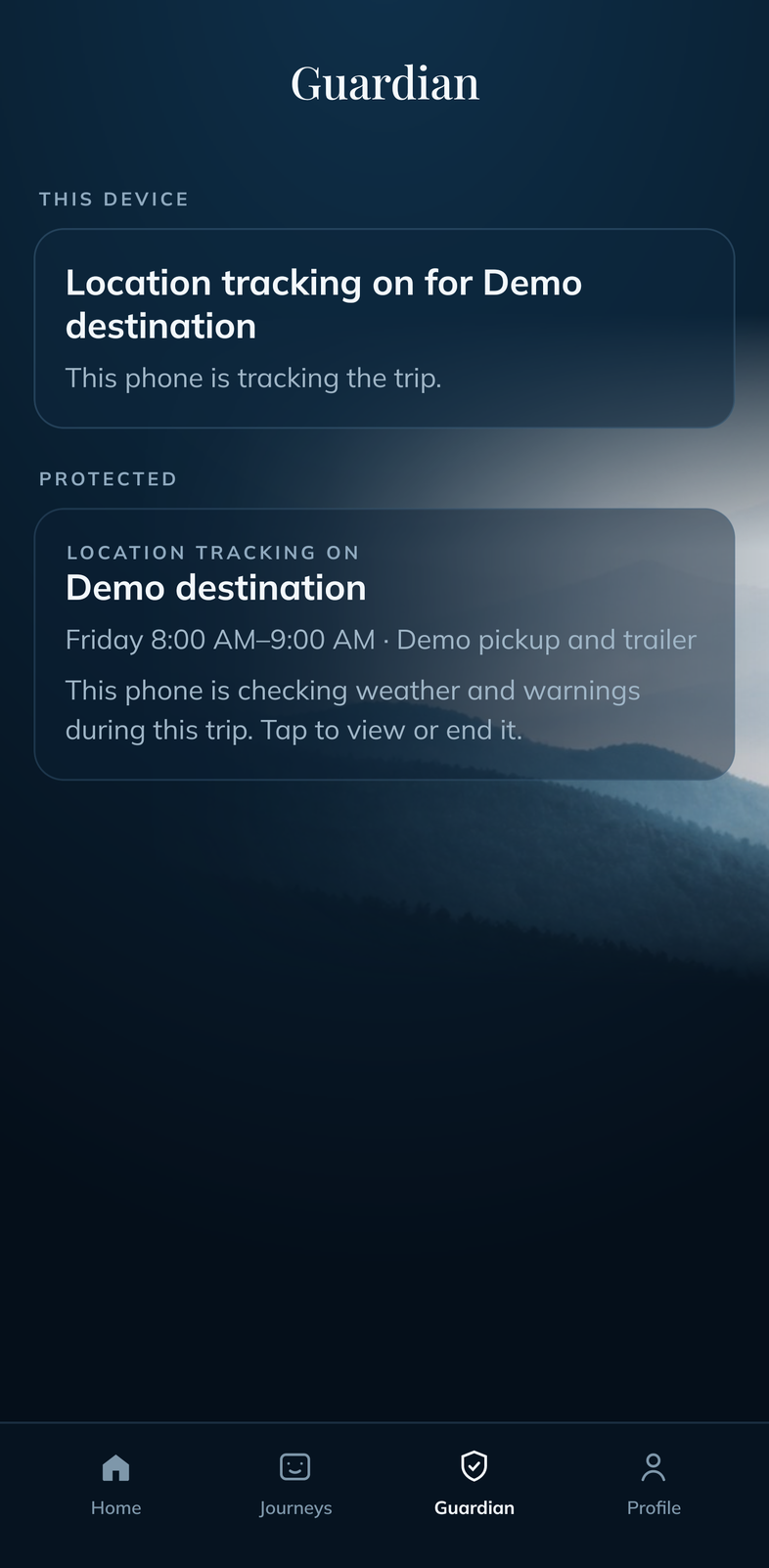
Keep your trip in view.
See which trip this phone is protecting.
Open Guardian app view ↗
03 / While you drive
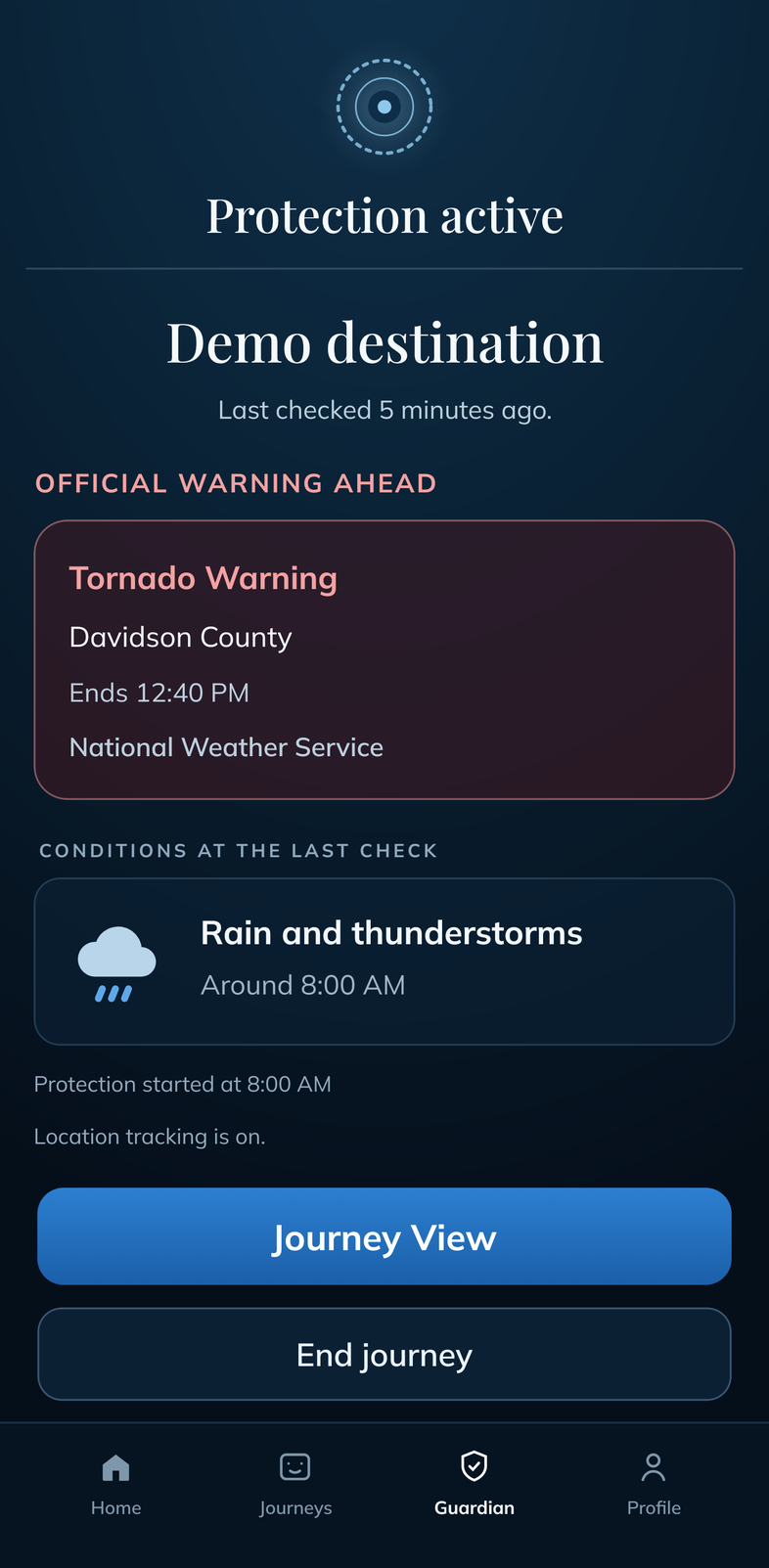
See official warnings ahead.
Review the warning, its source and when it ends.
Open Protection app view ↗
Automatic Guardian can start Protection for watched trips when you leave. It needs
your opt-in, notification permission and precise location access, including background
access. You can also start Protection yourself.
04 / Weather changes underway
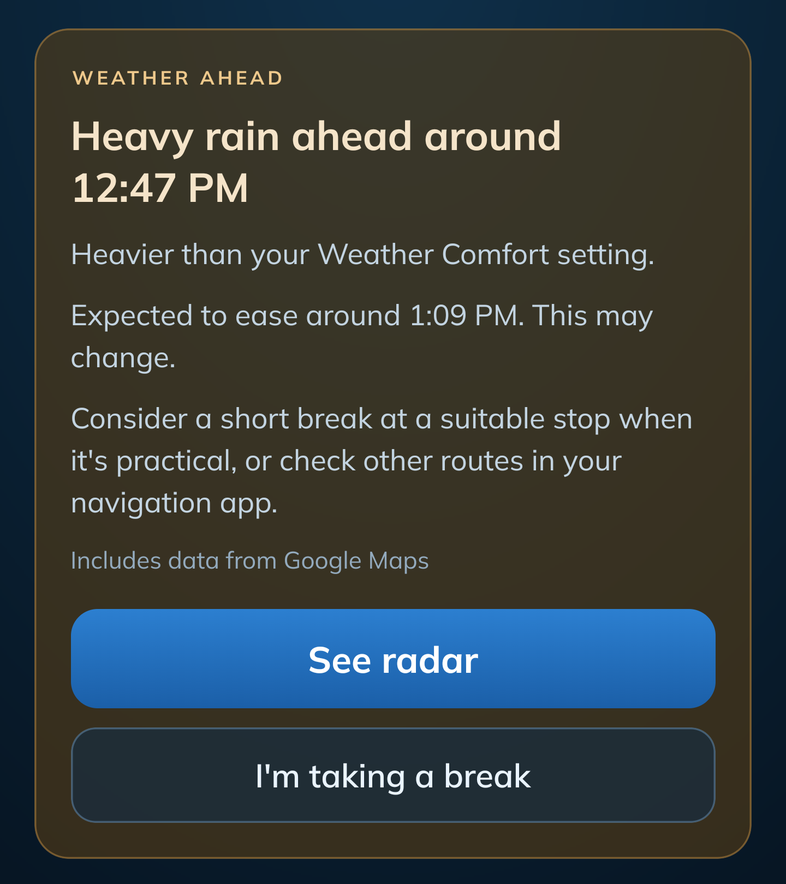
Know when a break may help.
When weather ahead is heavier than your Weather Comfort setting, Protection says
when it should ease and suggests a short break at a suitable stop, or checking other
routes in your usual navigation app.
Open midjourney app view ↗
An easing time can change. Check current conditions and official instructions before
you continue.
Taking the RV or towing?
Plan around the rain and wind you'd rather avoid.
Choose your vehicle so Weather Comfort can account for wind sensitivity.
About forecasts and alerts
Before departure, Watch lets you know when weather along the route gets meaningfully
worse or a better departure time moves. While you drive, Protection can notify you
about important official warnings, changes in Protection and meaningful changes
against your Weather Comfort setting, and it keeps checking while you take a weather
break.
You turn Automatic Guardian on in the app. Android asks for location and notification
access during setup. An unplanned drive can ask "Protect this drive?" Without a
destination, forecasts are limited to the area near the last current location.
A forecast is not a promise of clear roads or an arrival time. Coverage varies. Use
current conditions and official warnings. Keep using your usual navigation app.
Launch offer
Your first 5 trips are free.
$5.99/month or $59.99/year .
Each trip counts once when you start Watch or Protection. Automatic Guardian is included
with a paid subscription.
Coming soon to Android.